Setup front office
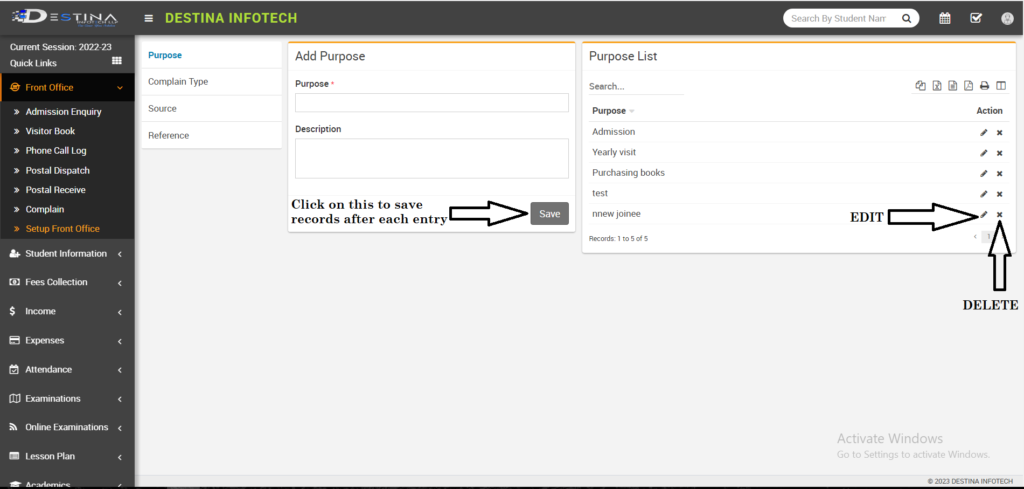
Setup front office : Click on setup front office.
Add purpose (eg; Admission Enquiry, Office work, To meet Dean, To provide textbooks or uniforms, To meet their children etc).
Then click on complain type and add (eg; staff/students/parent complain).
Then click on source and add (eg; social media, news paper, news channel).
Then click on reference (eg; student’s/staff’s reference, parent’s reference).
Then click on save button (marked) for each step to save all entries.
If you’ve added something mistakenly there are options for edit(marked), you need to make changes and save. Delete(marked), after clicking on delete it will delete your option.
Admission Enquiry
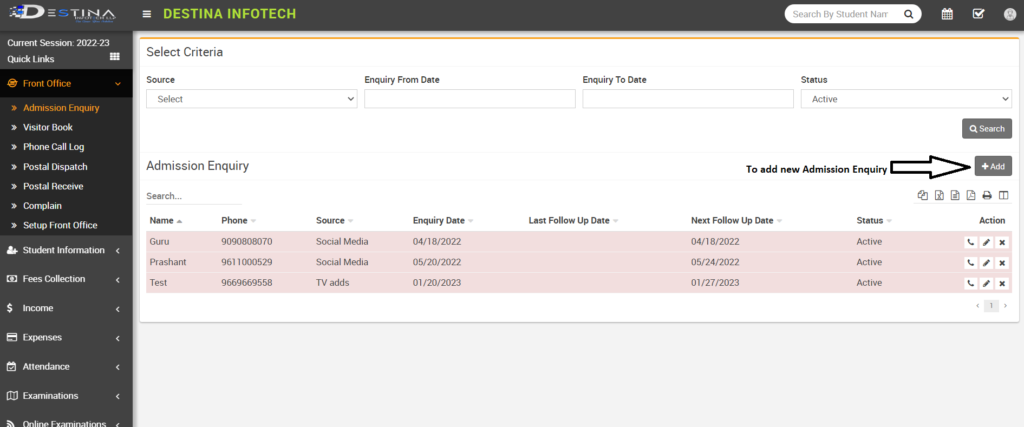
Once you click on Admission Enquiry, it will take you to this page In admission enquiry, front desk staff has to add a new enquiry by Clicking on add option (marked). Then has to add name, mobile number, E-mail, address, date, follow up date, source, number of children they Are enquiring about and has assign it admin or someone who is authorized for admissions and has to save.
Visitor Book :
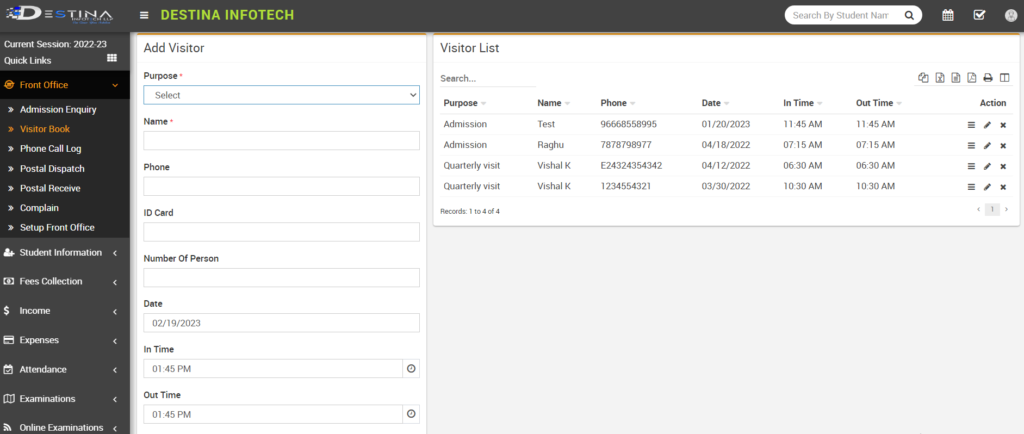
This will help you to add Visitors and save records for office use. After reaching to Visitor book page Add Visitor by adding Purpose of visit, Name, Phone, ID Card, Number of persons visiting, Date, In-Time, Out-Time, Note, In Attach document you can even save their Visiting Card or ID card by scanning document and uploading (File size should be less than 1MB).Then click on save.
Phone Call Log
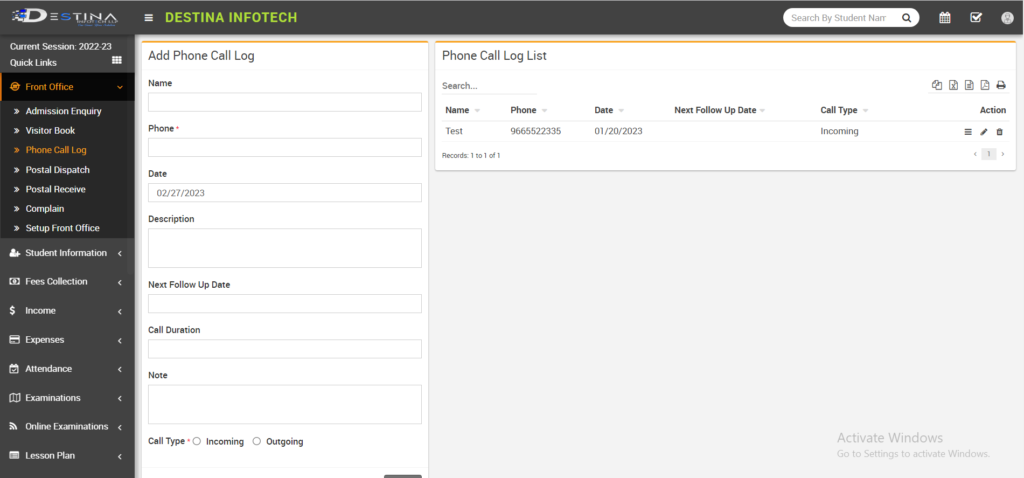
If Receptionist getting calls regarding enquiries/appointments you can save that record by adding details same as visitor book in Phone call log page and save.
Postal Dispatch
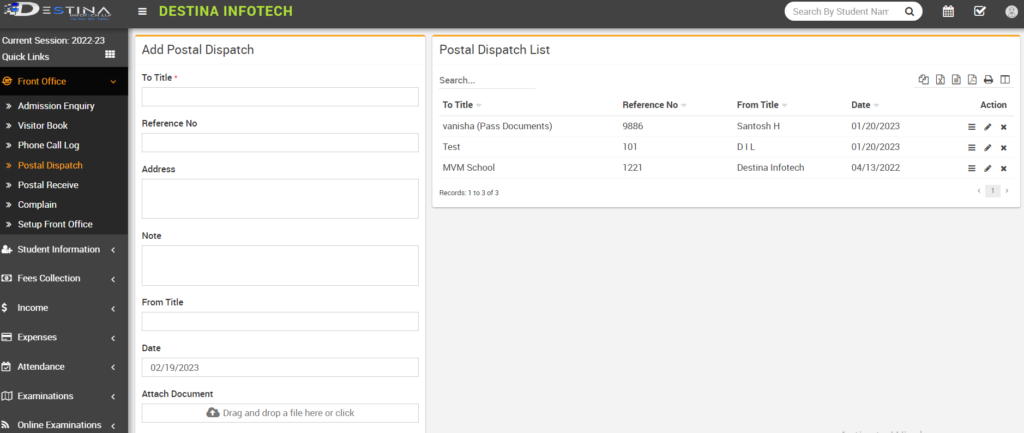
It is same as outward. If you’re posting some documents to individual, any official or universities we need to enter that details in To Title, then add Reference No. for Admin reference, Address, Note, From title, Date and scan that document which you’re posting and upload that document in Attach Document. Then click on save to save the record.
Postal Receive
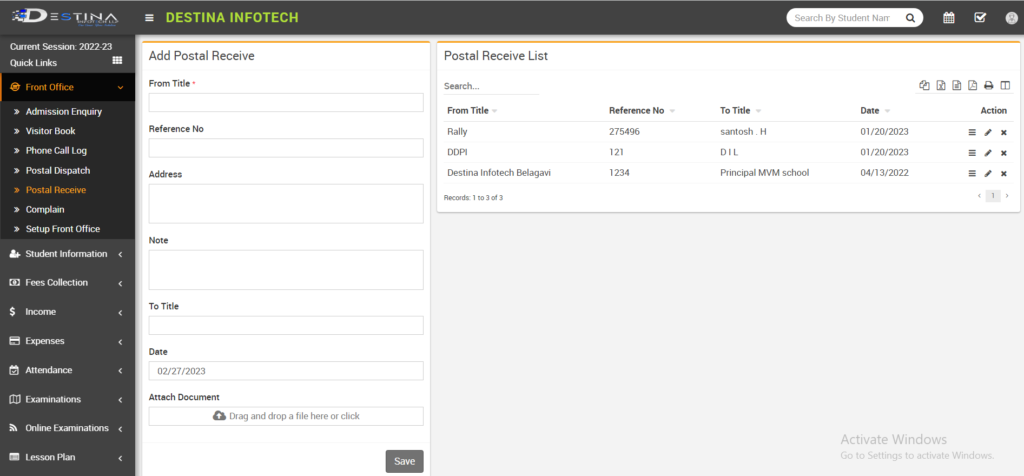
It is same as inward. If you’ve received any documents from any individual, any official or from universities then add that details in From Title and rest entries will be same as Postal Dispatch.
